Peerbound Platform Navigation Guide
Last updated: April 1, 2026
Capture, manage, and deliver customer proof that builds trust and drives revenue
Welcome to Peerbound
Peerbound helps you identify and deliver powerful customer proof—stories, quotes, reviews, and insights—that build credibility across your go-to-market teams.
This guide walks you through the core areas of the Peerbound platform and how to use them effectively.
Platform Overview
Peerbound is organized into seven primary sections:
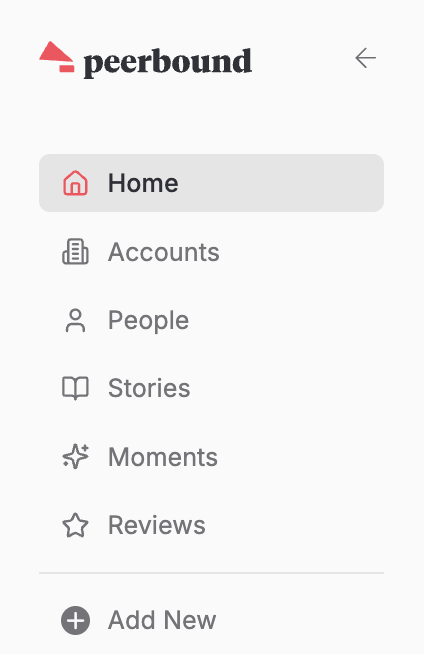
Home
Your dashboard for the most recent Moments, Reviews, and Stories.Accounts
A centralized list of your customer accounts, advocates at each account, and their associated proof.People
The People page is your directory of individual customers and advocates across all accounts.Stories
A library of customer stories you can create, edit, and repurpose for marketing, sales, and success.Moments
AI-powered insights from Customer Success calls that surface real-time customer sentiment.Reviews
A feed of positive G2 reviews that can be reused as customer proof.Add New
Option to add a new activity, note, moment, published story, or story draft.
Accounts
The Accounts page shows all accounts where customer advocates have been identified.
Advocates are individuals who have:
Participated in a customer story
Left a G2 review
Shared positive feedback on a Customer Success call
When you click into an account, you’ll see:
A list of advocates and contacts
A feed of proof (stories, reviews, moments) linked to those advocates
This gives you a unified view of advocacy at the account level.
People
The People page is a directory of customers and advocates that helps you understand who they are, what they’ve said, and how to use them as proof across sales and marketing.
Each person represents a source of customer proof, tied to the feedback they’ve shared across calls, reviews, and stories.
Person Profile:
Their associated account and role
A feed of proof (moments, reviews, stories) connected to them
Stories
The Stories section is where you manage and create customer stories.
Managing Stories:
Review existing stories created with Peerbound
Generate new stories from call recordings
Story Creation:
Upload or select a recording
Peerbound will automatically transcribe it.Select format and generate an outline
Choose a story format; Peerbound extracts key quotes and context.Edit and refine
Manually adjust the story or use Edit with AI to improve it.Repurpose the story
Convert it into a blog post, social post, or slide deck—quickly.
See: 📄 Create Your First Customer Story in Peerbound
Moments
The Moments section surfaces high-impact insights from your Customer Success calls.
Moment types:
AI Hype – Highlights how customers are using and talking about your AI features, including specific workflows, value, and excitement around AI capabilities.
Competitive Clues – Captures when customers explain why they chose you over a competitor or what sets you apart.
Expansion Potential – Surfaces signals that a customer may be ready to grow, such as interest in new products, add-ons, or higher tiers.
Impact Insights – Shows measurable results and outcomes, including metrics that demonstrate ROI or business impact.
Partner Love – Recognizes positive mentions of implementation or services partners who help customers get value from your product.
People Praise – Highlights shoutouts to your team for exceptional support, service, or partnership.
Sentiment Signals – Captures strong positive sentiment or enthusiasm that isn’t tied to specific metrics or outcomes.
Use Case Finder – Reveals how customers are using your product in practice, including specific workflows, teams, or applications.
Search and Filter:
Use keyword search to find specific themes
Filter by moment type to narrow results
See: 📄 Navigating Moment Types
See: 📄 Quote Approval Workflow
Reviews
The Reviews section shows customer reviews from G2, automatically pulled into Peerbound.
Managing Reviews:
View all positive G2 reviews in one place
Use reviews as proof in sales, marketing, or onboarding
Identify advocates who haven’t left a review
Generate a review request based on existing quotes