Gainsight Integration Instructions
Last updated: August 18, 2026
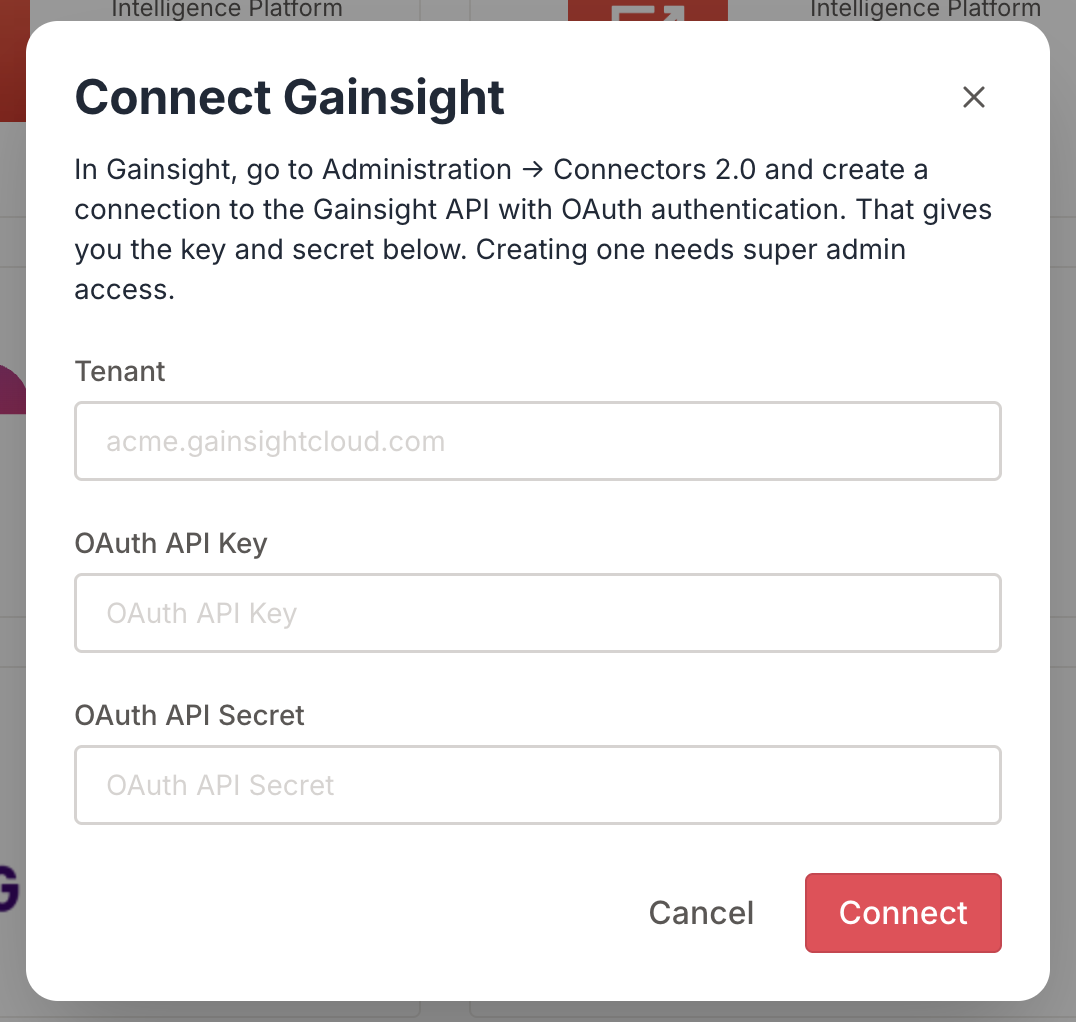
Log into Peerbound and your Gainsight account as an admin
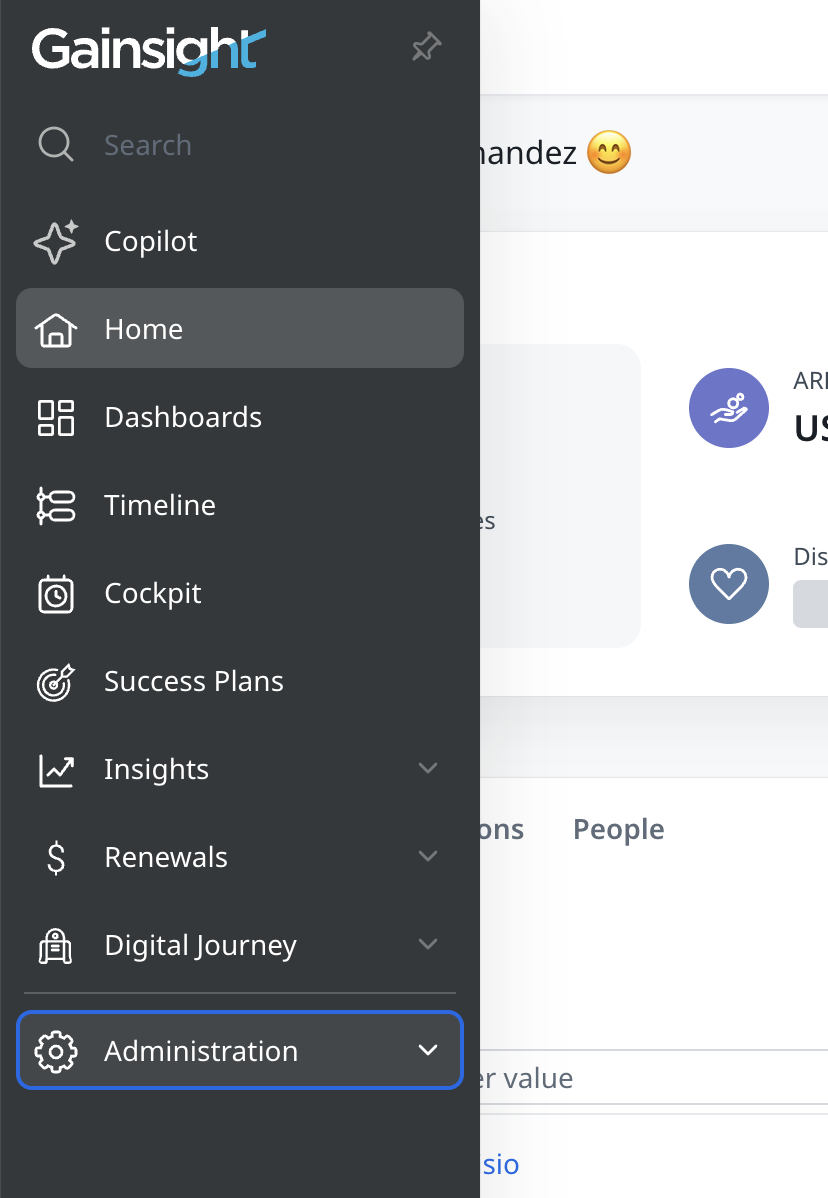
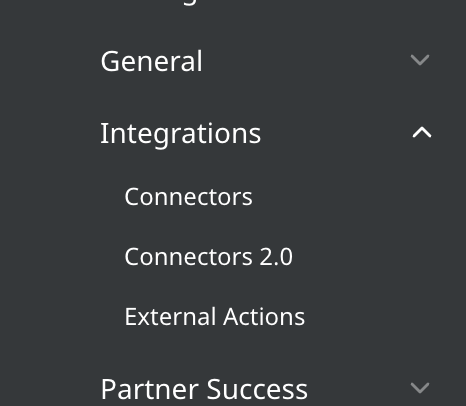
In Gainsight go to Administration -> Integrations -> Connectors 2.0
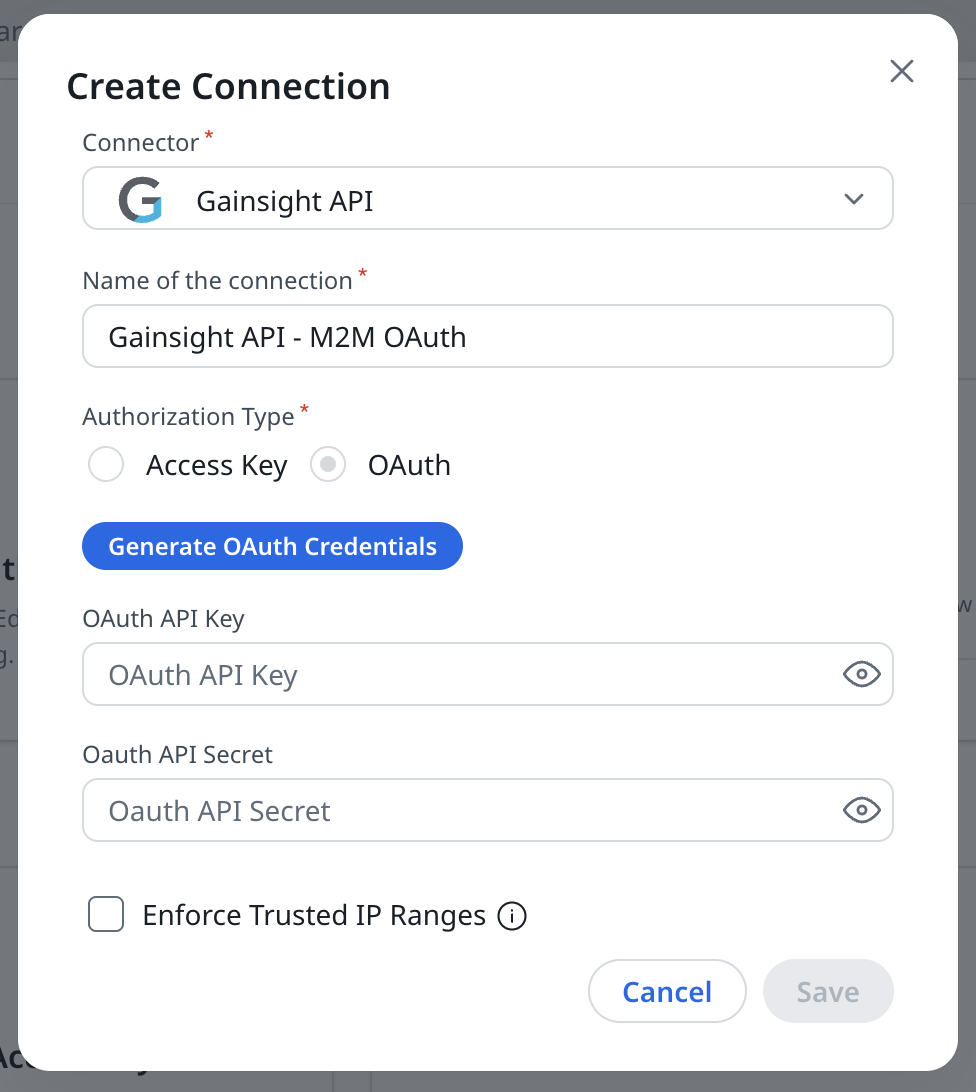
Click "Create Connection" and select "Gainsight API" for the Connector. Give your connection a unique name and select "OAuth" for the Authorization Type (this should be the default). Click "Generate OAuth Credentials" and copy the API Key and Secret. Do not select "Enforce Trusted IP ranges".
Go to the integrations page in Peerbound and select "Gainsight". Enter the Key and Secret you got from Gainsight. Enter your Gainsight tenant - you can get this from the URL you used to access your Gainsight account.