G2 Integration Instructions
Last updated: September 8, 2026
This guide walks you through how to connect your G2 reviews to Peerbound.
NOTE: To access the G2 API, you need to have a Core subscription with either the Review Growth module add on or the Buyer Intent module add on.
1. Determine your G2 Company Slug and generate a G2 API Key.
a. Find Your Company Slug
Your Company Slug is the identifier in your G2 product URL:
https://www.g2.com/products/[YOUR-SLUG]/reviews
Example:
For Peerbound, the URL is:https://www.g2.com/products/peerbound/reviews
So the Company Slug is: peerbound
b. Generate Your API Key
Depending on your account tier, the way you access your G2 API key may vary. Access is only available with either Review Growth module addon or the Buyer Intent module addon.
If you have the Review Growth module:
To access the G2 API, you will need to reach out to G2 support to request your API token. Submit a case here.
Select Request assistance for all other issues.
Below is a sample support ticket to submit:
Subject: API Token Request
Hi G2 Support,
I’m reaching out to request an API authentication token so we can integrate our G2 Reviews with another product. Our account is under [COMPANY/ACCOUNT NAME], and we’d like to use the Review Display API. We need tokens for our [PRODUCT], [PRODUCT 2], .. products. Can you please share the necessary token for the V1 API?
If you have the Buyer Intent module:
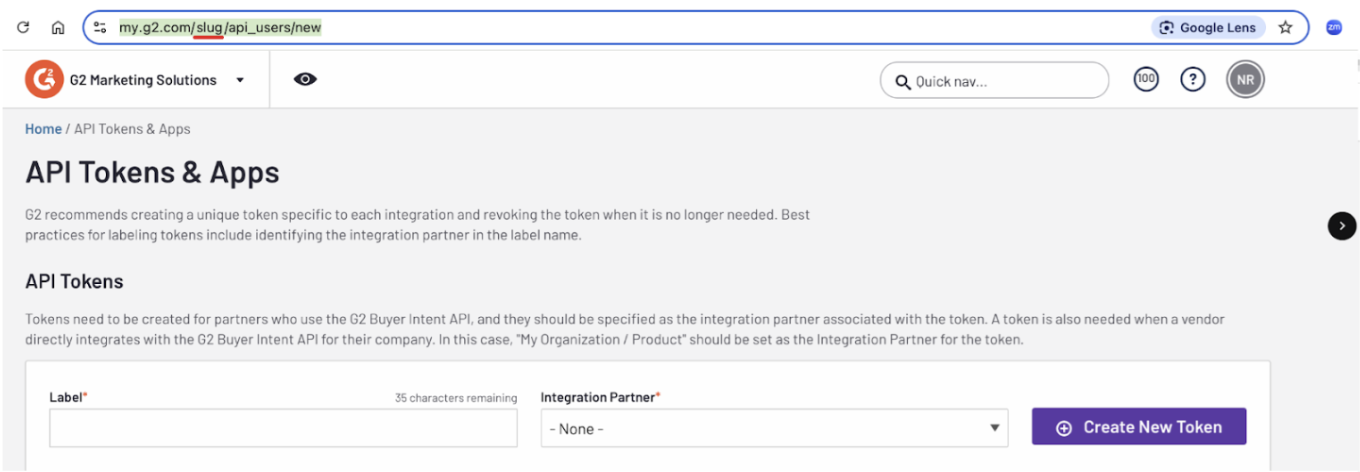
Visit the API Tokens & Apps page in the Integrations section of your Company's G2 Dashboard. You can access this by replacing [YOUR-SLUG] with your Company Slug in the following url:
https://my.g2.com/[YOUR-SLUG]/api_users/newCreate a new API token for Peerbound. Select:
Set Integration Partner to:
My product / organization
The G2 API key is not included with all G2 account types (e.g., Core). Your G2 rep can provide further info on getting access.
You may also receive a UUID from G2, but it does not need to be entered into Peerbound.
2. Connect G2 to Peerbound
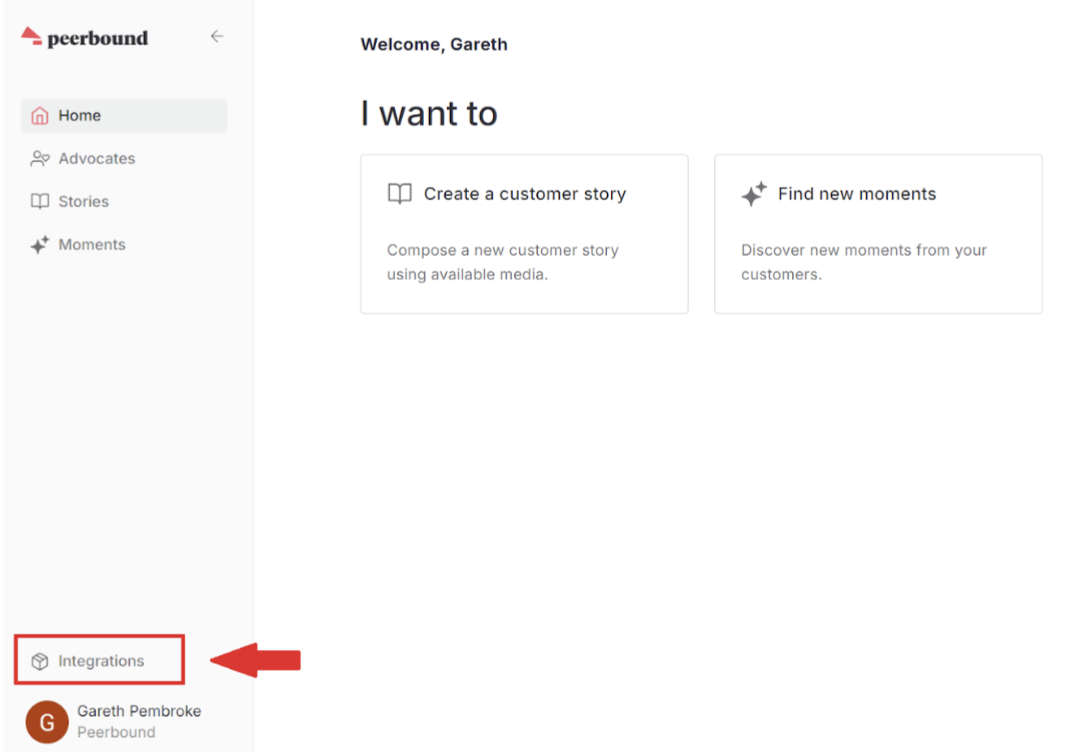
In the Peerbound app, click Integrations from the bottom-left navigation.
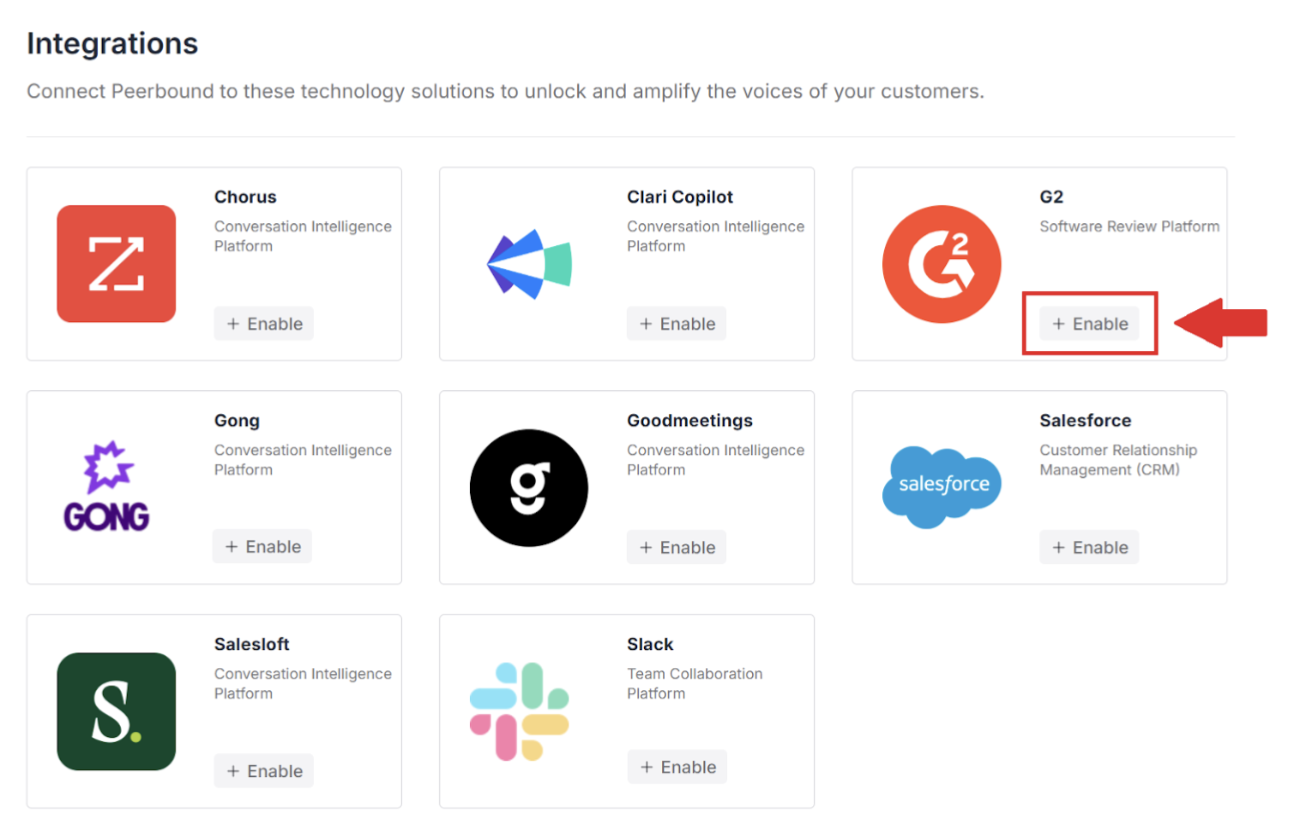
Enable the G2 integration.
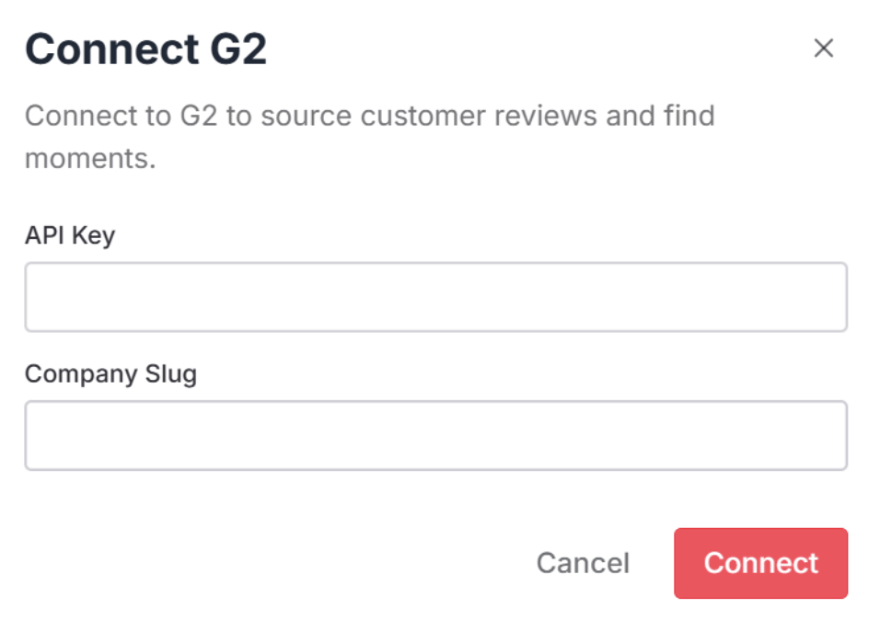
Enter your API Key and Company Slug, then click Connect.
Once connected, Peerbound will begin pulling in your G2 reviews.
Support
If you run into any issues, please reach out to us at support@peerbound.com or message us in Slack.
To help us troubleshoot faster, include screenshots of any errors or unexpected behavior.