Peerbound Slackbot Overview
Last updated: July 15, 2025
Prefer to Explore Hands-On? Try the Interactive Demo
If you’d rather see the Slackbot in action before reviewing the full guide, start with the interactive demo below. It’s a quick way to understand how it works in context.
For more detailed instructions:
How to Add Peerbound to a Slack Channel
Click into the message input area of the Slack channel where you want to use Peerbound.
Type @peerbound and press Enter.

If the Slackbot hasn’t been added to the channel yet, Slack will prompt you to Add to Channel. Click to confirm.
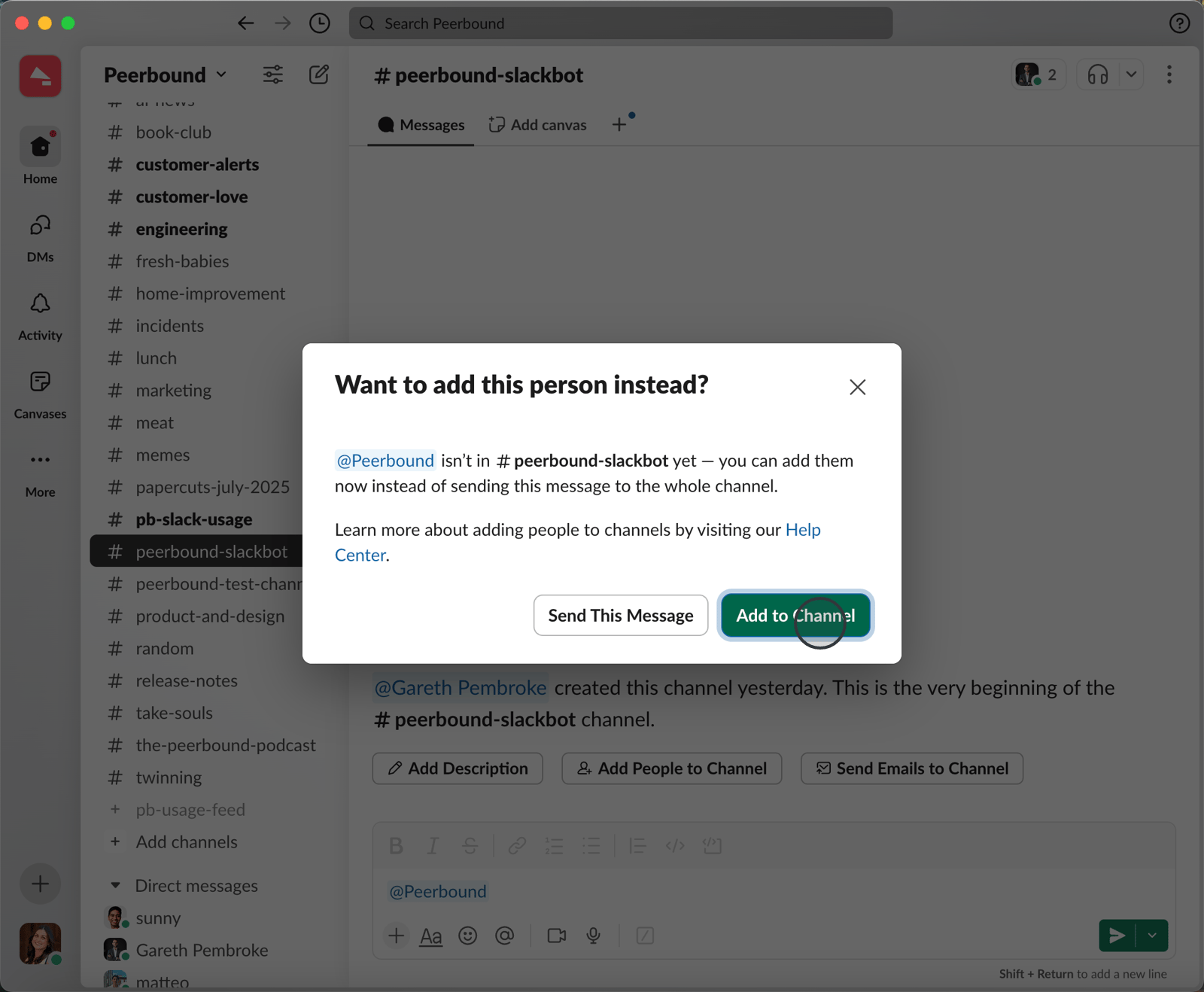
How to Use the Slackbot
Use
@Peerboundfollowed by your request in a channel or DM.The Slackbot works best with one request per message.
Responses appear in threads—so you can follow up or tag teammates.
You can also type
/peerbound helpto see guidance anytime.
Sample Slackbot Requests
Here are examples of queries the Slackbot understands:
@Peerbound I'm prospecting into a healthcare company. Do we have any customer stories for similar companies?@Peerbound I'm prospecting into Acme Corp. Have we served similar companies?@Peerbound Do we have a case study for Acme Corp?@Peerbound Do we have any reviews for customers using our onboarding tool?@Peerbound Do we have any proof where we were up against Competitor X?
How to Ask for Value Statements
What they are:
Comments from customers or prospects during recorded calls that highlight the value they’ve seen from your product.
How to ask:@Peerbound Can you share value statements for Acme Corp?
What happens:
Peerbound searches up to six recent calls with that account and surfaces quotes that reflect the customer's satisfaction or ROI.
What Data Does Peerbound Use?
Peerbound pulls from the customer proof you’ve made available, including:
Internal customer stories
Curated G2 reviews
Success call quotes
Publicly accessible information
It never shares data your team hasn’t already approved for use.
Support
If you run into any issues, please reach out to us at support@peerbound.com or message us in Slack.
To help us troubleshoot faster, include screenshots of any errors or unexpected behavior.