Salesforce Opportunity Data Export
Last updated: July 15, 2025
How to export Salesforce opportunity data for Peerbound setup
To configure Peerbound’s features, we require a one-time export of your Salesforce Opportunity data. Follow the steps below to create and export the report.
Step-by-Step Instructions
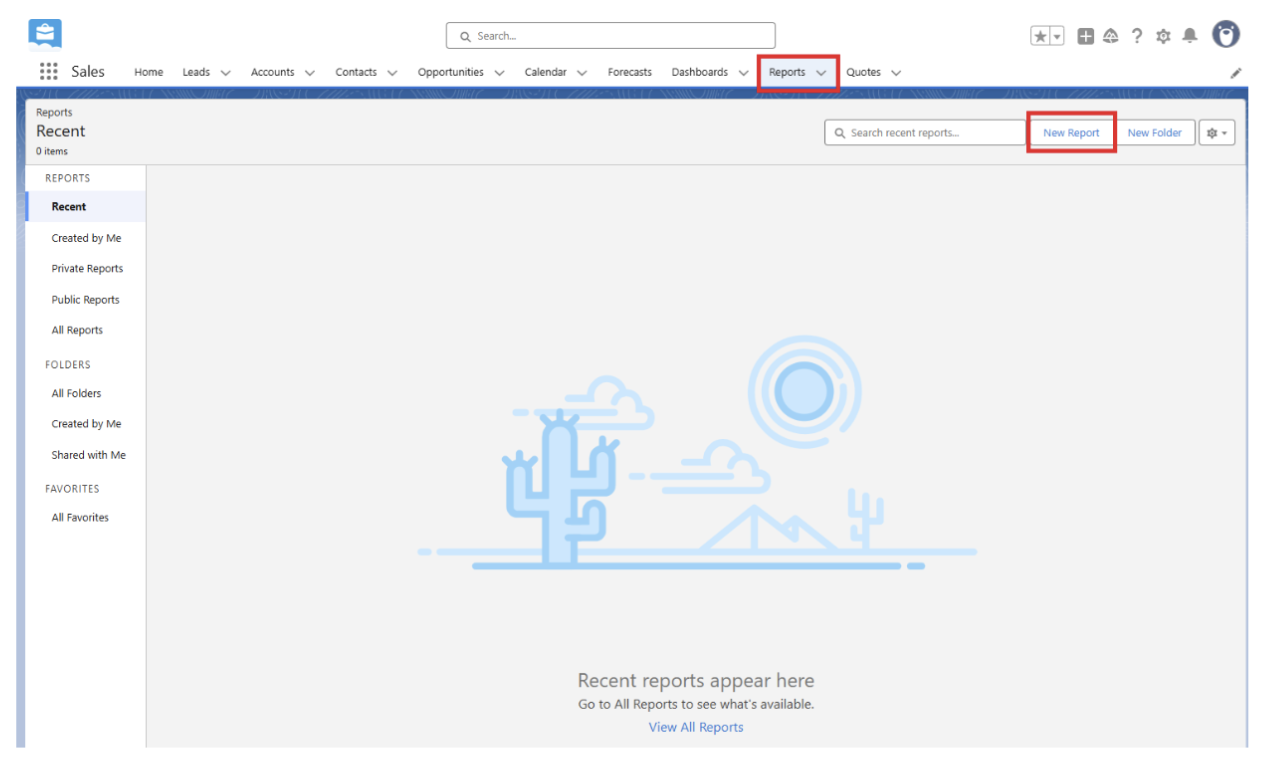
1. Open Reports in Salesforce
Go to the Reports section in your Salesforce dashboard and click New Report.
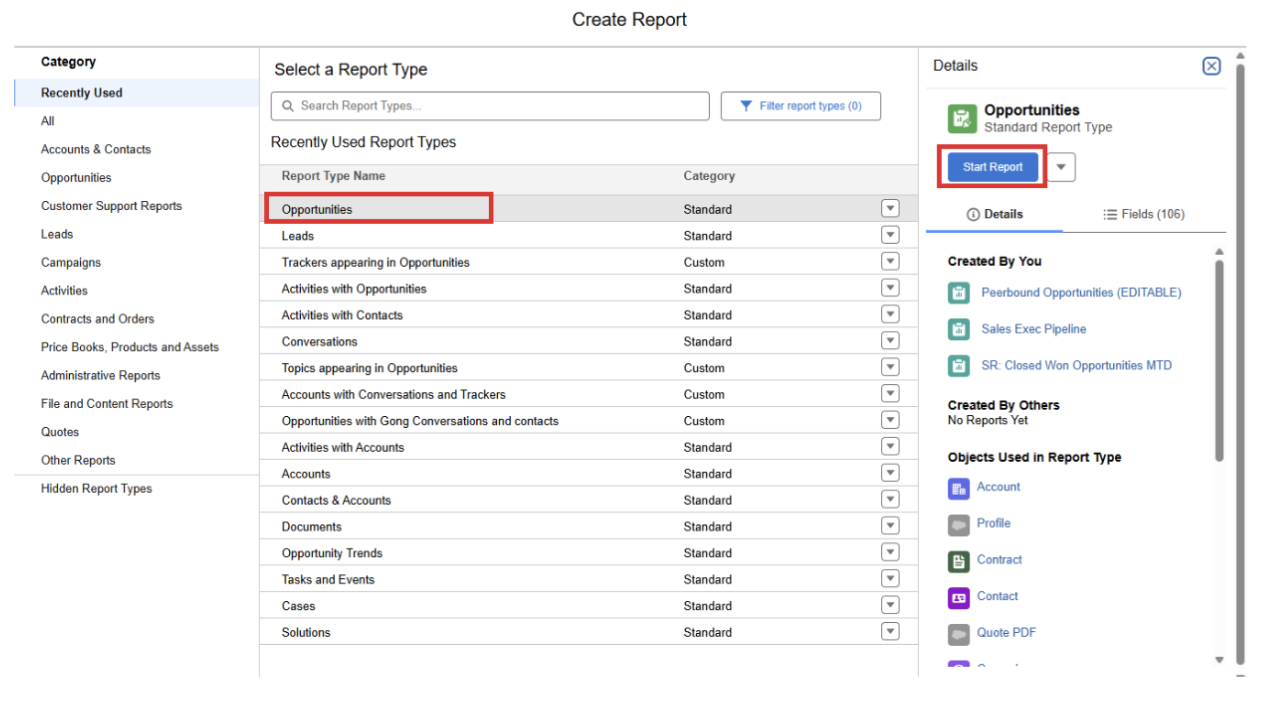
2. Select Opportunities Report
Choose Opportunities as the report type and click Start Report.
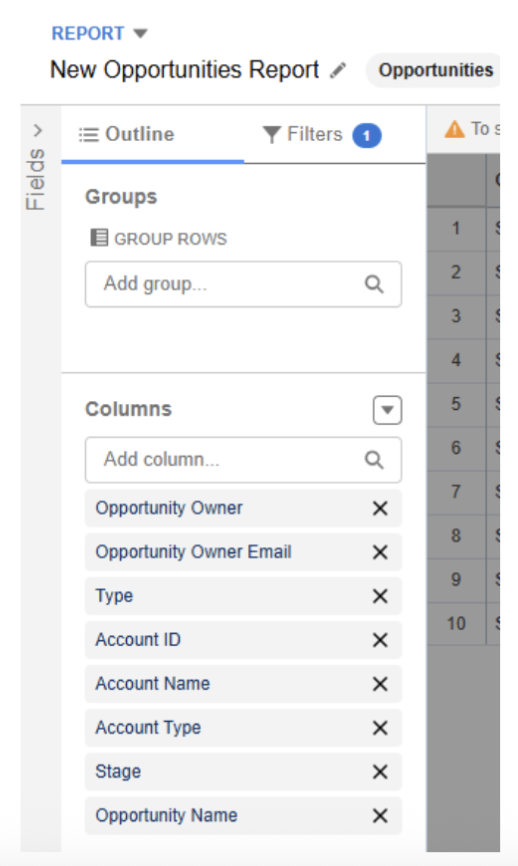
3. Add Required Columns
Customize the report to include the following fields:
Opportunity Owner
Opportunity Owner Email
Type
Account ID
Account Name
Account Type
Stage
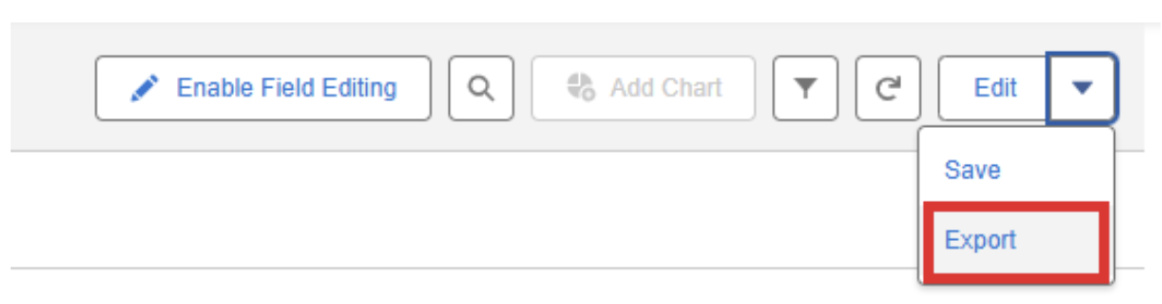
4. Run and Export the Report
Click Run to generate the report, then use the Export option to download it as a CSV file.

5. Share the Export
Send the exported file to your Peerbound contact to complete the setup process.
Support
If you run into any issues, please reach out to us at support@peerbound.com or message us in Slack.
To help us troubleshoot faster, include screenshots of any errors or unexpected behavior.