Peerbound Slackbot Workflow and Commands
Last updated: July 14, 2025
Peerbound’s Slackbot helps you instantly surface relevant customer proof—like stories, reviews, quotes, and more—directly in Slack. Whether you're preparing for a prospect call or addressing a competitive objection, the Slackbot gives you fast access to the assets you need.
Make a Request
Once added to a channel, you can ask Peerbound for customer proof by typing @peerbound followed by your request.
For help or examples, type /peerbound help.
Example Queries:
@peerbound Do we have any customer stories or reviews for [USE CASE]?@peerbound Do we have a case study for [COMPANY NAME]?@peerbound Do we have any customer proof for where we were against [COMPETITOR]?
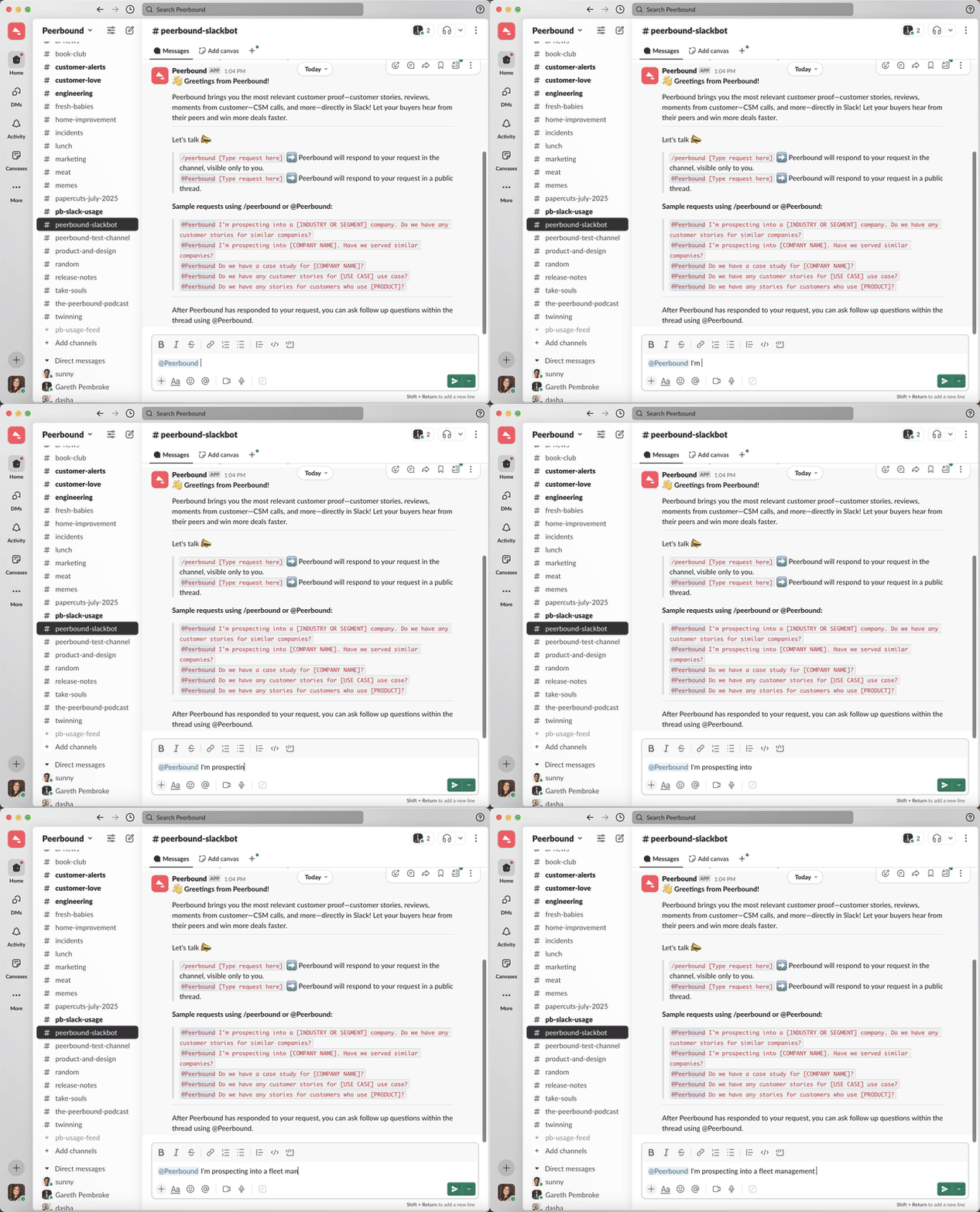
Peerbound will respond in a thread with links to customer stories, reviews, sales content, and more.
View the response
Click “1 reply” under your message to open the full response.

Peerbound will respond in a thread beneath your message—usually within 30–60 seconds.
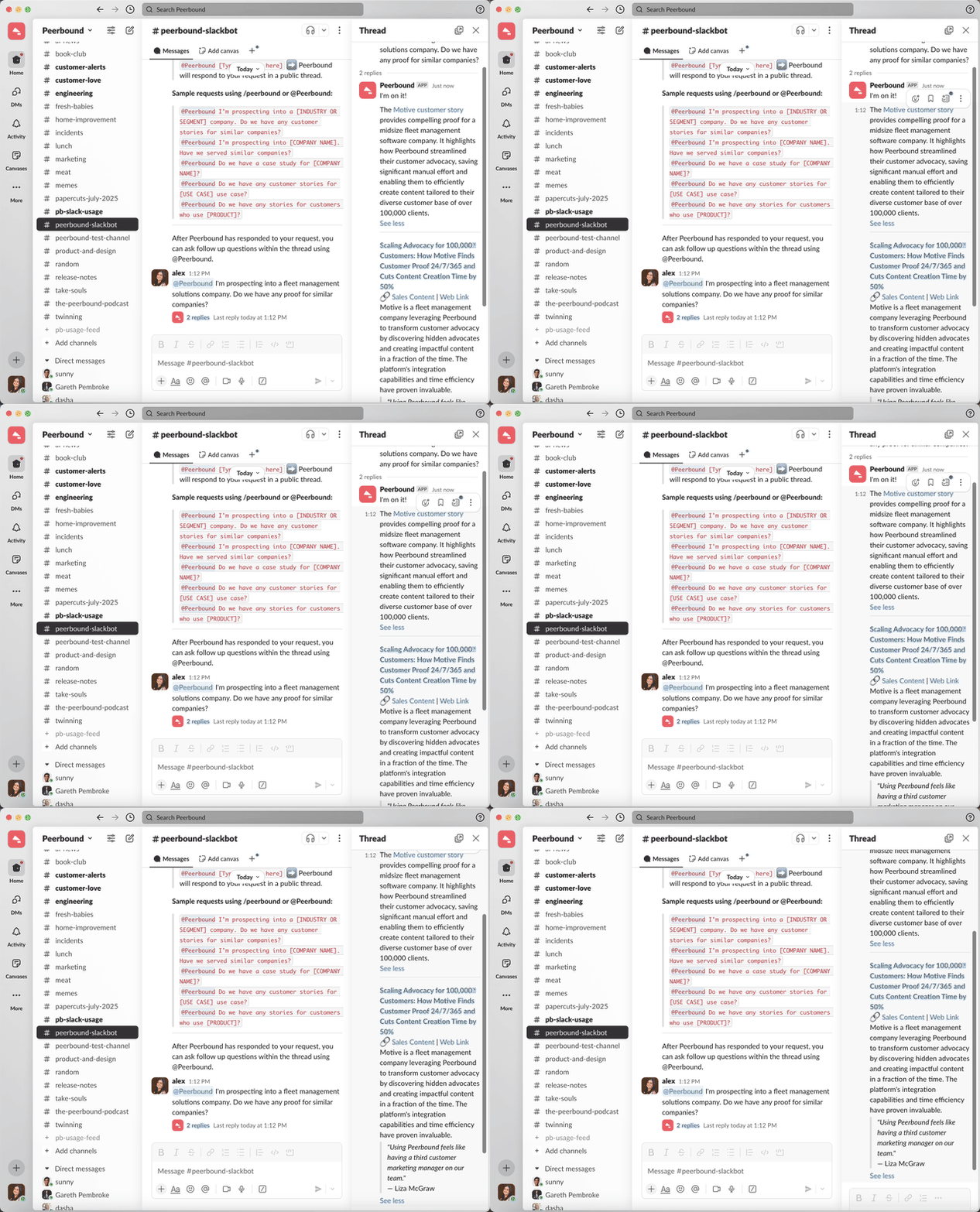
You can click any shared link in a Slack thread to quickly access external resources, websites, or content relevant to the conversation.
Ask follow-up questions
Just reply to the thread and mention @peerbound again with your new question.
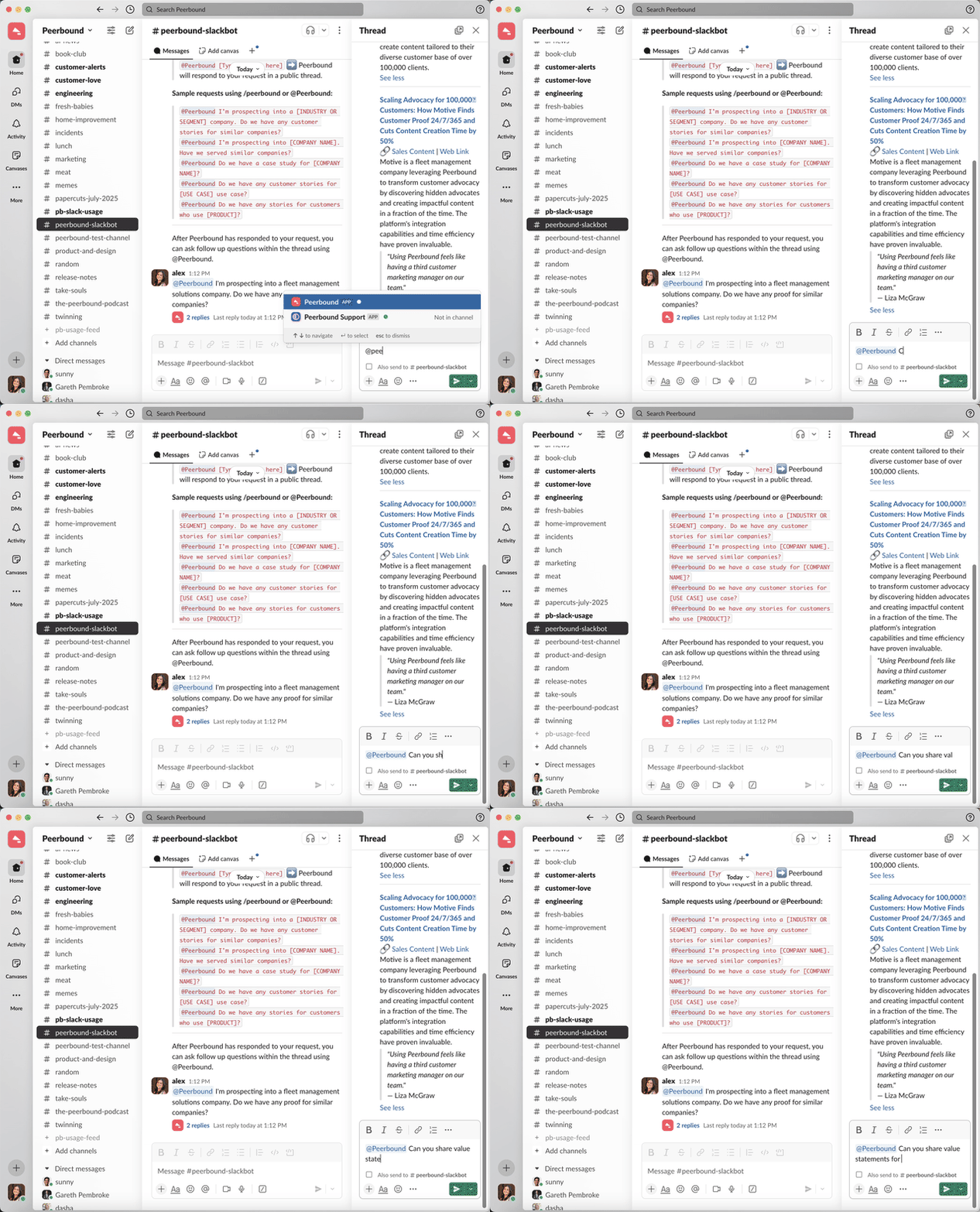
Peerbound will use the context of the thread to respond to your follow-up, delivering relevant customer proof with supporting details and links.
Support
If you run into any issues, please reach out to us at support@peerbound.com or message us in Slack.
To help us troubleshoot faster, include screenshots of any errors or unexpected behavior.